

New Member
•
26 Messages
How do I stop the "We've paused your program" From coming on?
It is annoying, right in the denouement of a movie the screen goes black and I get this pointless message.
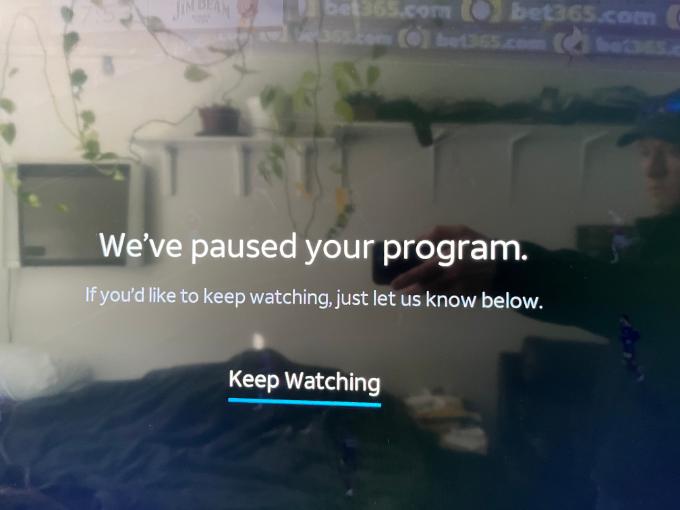
New Member
•
26 Messages
It is annoying, right in the denouement of a movie the screen goes black and I get this pointless message.
Ludwick577
ACE - New Member
•
3.6K Messages
4 years ago
I really wish we could block people on this forum.
(edited)
0
0
chasf00
New Member
•
426 Messages
4 years ago
@Ludwick577
Ditto to to the Whizzard wannabe. Guessing you will try to censor those that disagree with you.
0
0
Bedelia79
New Member
•
3 Messages
4 years ago
Four hours, my tush! It wouldn't even let me get through the NCAA Final Four game! Cut me off with about 20 seconds left to play!
I am done here.
YouTube TV doesn't do this.
Amazon Prime did, but you can change the settings.
ESPN online doesn't do this.
Those are the only other ones I have, but I KNOW that this is a unnecessary control by power freaks and why they would lose customers over it is beside me.
0
0
Ruthenium
New Member
•
1 Message
4 years ago
This is highly annoying. I pay more than enough for this service without having this annoying message come on interrupting my program. I want to be able to configure my application to stop this from occurring.
0
0
Jrandomuser
ACE - Expert
•
1.2K Messages
4 years ago
As noted, you currently can't. All streaming services appear to do something similar. We assume this is to limit their own internet requirements - basically, if people left their streaming on all the time, the streaming services would need more internet resources to support that, meaning higher costs to them, meaning higher charges to us. Unfortunately, they have no way to know whether you are still watching or have just left things on.
This is probably more irritating with the live streaming services (like DirecTV Stream) than the pure on-demand services (like Netflix) because the live streaming services are the moral equivalent of cable, and people may be used to just leaving a TV on cable running. But the technology (transport infrastructure) is different, and that leads to a different cost model for them.
0
0
richardcastle
New Member
•
2 Messages
3 years ago
fubo doesn't
0
0
richardcastle
New Member
•
2 Messages
3 years ago
fubo doesn't.
0
0
Dongo123
New Member
•
2 Messages
3 years ago
What about people who leave their TV on and have an OLED? That paused screen would undoubtedly cause screen burn-in. One would think it would pause and then default to a screen saver. I would consider Directv liable for that. I've had many issues with Directv stream buffering as well. I have my router and modem on a daily reset switch and very fast cable internet. So any buffering is 100% caused by not enough bandwidth from Directv. Bump up your bandwidth and allow users to toggle that feature.
(edited)
0
0
bcbsncjlj
Expert
•
6.5K Messages
3 years ago
What device are you using to stream? Your device may have a power saving mode enabled. Verify that it is off. Buffering is just congestion. The feed from DirecTV Stream is more than capable to handle the content. Besides, your feed is coming from your ISP provider to you, not from DirecTV Stream.
(edited)
0
0
Dongo123
New Member
•
2 Messages
3 years ago
Using a Roku ultra box, no power saving features turned on. I’ve streamed many other multiple feeds and have never had an issue. Only happened with directv stream. The Roku box is also hardwired to my router, no Wi-Fi being used. So it’s getting a blazing fast signal. I called directv and they told me to pause the program for 10-15 seconds and then start it up again. That did nothing. Also typically only happens on pay channels (HBO, showtime etc) vs local live channels. Which didn’t make much sense.
0
0
chaotic1
New Member
•
4 Messages
3 years ago
So, is the option to disable this on the roadmap for the app? I purposely got DTV Stream so that i would not have to use a box on each TV. I use smart TVs with the app and have more than enough bandwidth to support playing all day or night.
-note - if you don't have direct insight to the roadmap for the app, i don't need your opinion on how i watch TV, i am just looking for an answer on the roadmap. Thank you
0
0
Jrandomuser
ACE - Expert
•
1.2K Messages
3 years ago
No one outside DTV knows if the have any plans to change this or if they do when. And no one inside DTV would say - they don’t announce futures until they happen.
0
0
chaotic1
New Member
•
4 Messages
3 years ago
@Jrandomuser , that's so unsatisfying. But i guess I have no choice but to accept it. Does the streaming box allow this to be turned off at this time?
0
0
Jrandomuser
ACE - Expert
•
1.2K Messages
3 years ago
I'm not familiar with anything in the consumer world that commits to futures, especially at that level of granularity. And in this case there is no indication that they believe it is a problem (but then, they wouldn't say that either).
As far as whether it can be disabled if using their streaming device - I don't know. (I was an early subscriber with a plan that is no longer offered, and they don't even allow people with those plans to buy the devices.) But there have been reports from people who do have them that they can disable it. I have no way to confirm that those reports are true, however.
0
0
BP717
New Member
•
3 Messages
2 years ago
Just spent 27 minutes on the phone with support. There is no way to turn this off. Pretty sad cause I liked everything else about DirecTV app but this is way too annoying and will go back to my previous streaming company. They really should have a setting to stop this, support told me they do on their satellite boxes but not the app. They suggested streaming and mirroring from my phone instead using the roku tv, sadly that uses more internet and bandwidth and over complicates something that should be simple.
0
0